
- Training
- Service
- Promotion
- Schedule
- Testing Center
- News
- Contact
6/10/2021


You can explore all Power Apps capabilities for free by signing up for a Power Apps trial plan that expires after 30 days. If you don't have any license for Power Apps, the trial plan provides temporary access to these and other features:
If you have a Power Apps license or a license through Office 365, you already have access to some of these features; the trial license temporarily expands your access to include all features in the previous list. To find out what capabilities each type of license offers, see the pricing page.
Identify your current license
To find out which license or licenses you already have:
Upgrade an existing license
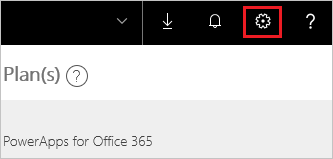
To start a free, 30-day trial of Power Apps per user plan from an existing license, sign in to Power Apps, and then try any feature that requires a premium Power Apps license. (For example, select the gear icon near the upper-right corner, select Admin center, and then select New environment near the upper-right corner.) Then follow the prompts to complete the sign-up process.
Get a license from scratch
Regardless of whether you have a license for Power Apps, you can start a free, 30-day trial of Power Apps per user plan by following these steps:
If you're using a phone, open the menu in the upper-right corner first, and then select Sign up free.
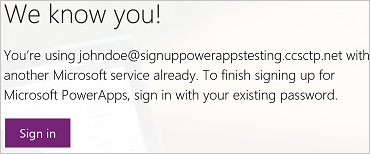
Otherwise, follow the prompts to check your email, verify your email address, provide more information if necessary, and select Start.
Source: docs.microsoft.com

12/11/2025


